> ## Documentation Index
> Fetch the complete documentation index at: https://sofiedocs.usetransfer.ai/llms.txt
> Use this file to discover all available pages before exploring further.
# CoDraft
> Create, import, edit, review, share, template, and export documents with Sofie.
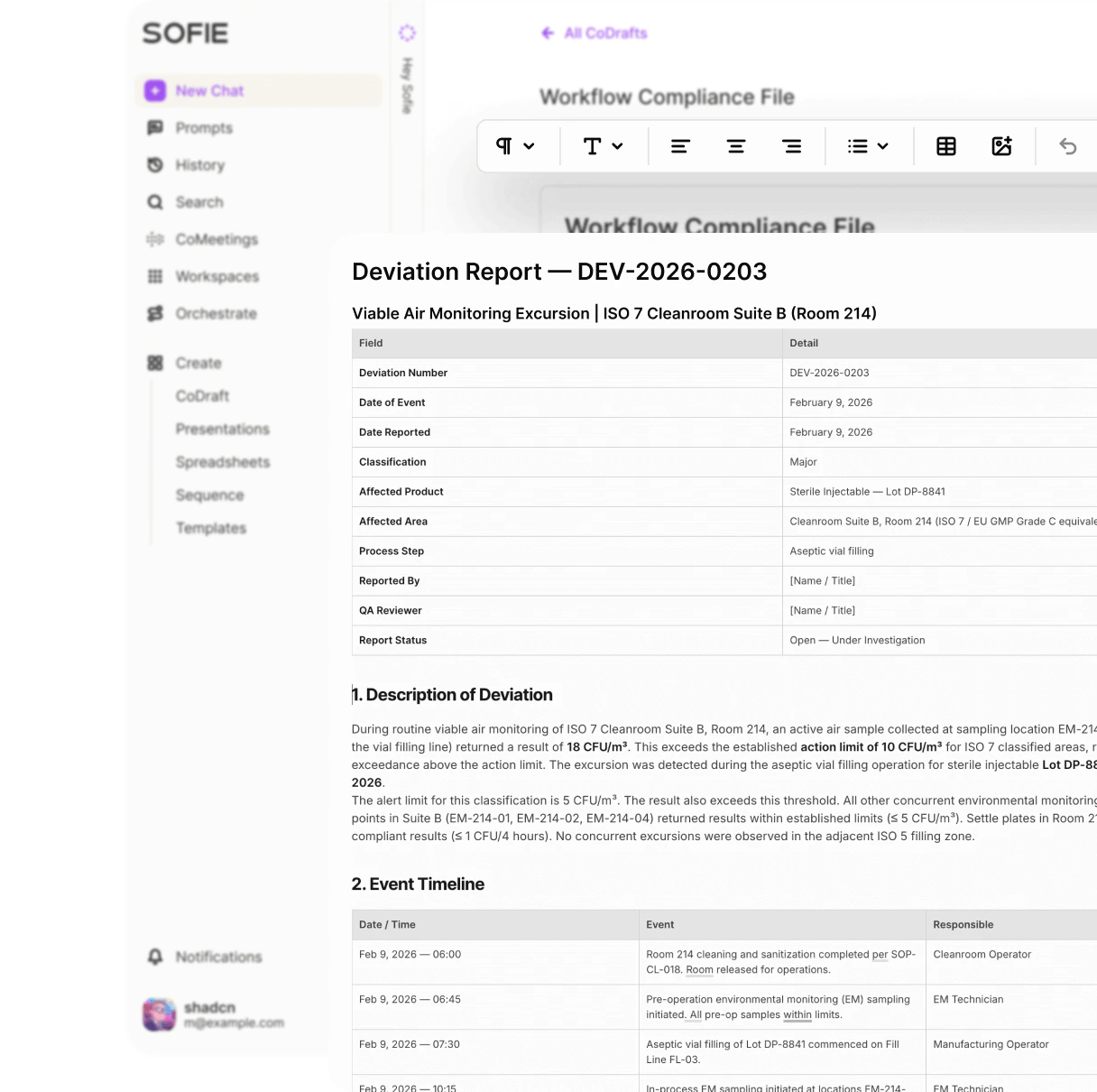
CoDraft is Sofie's collaborative document editor. Use it when chat output needs to become a document you can edit, review, share, version, and export.
For detailed toolbar instructions, see [Format, review, and export a CoDraft](/codraft/format-review-export).
## When to use CoDraft
Use CoDraft for:
* Deviation investigation summaries.
* CAPA plans and effectiveness check narratives.
* Validation protocols and reports.
* URS and qualification documents.
* SOP drafts and updates.
* Tech transfer charters and handoff documents.
* Meeting briefs and SME interview summaries.
* Templates for recurring document types.
Use chat first when you are exploring. Move to CoDraft when you need document structure, comments, suggestions, export, or collaboration.
 ## Create a CoDraft
Click **Create** in the sidebar or use a Workspace **Create** menu.
Choose **CoDraft** or **New CoDraft**.
Use a title that includes the process, product, or package.
Type directly, paste text, or ask Sofie to generate a starting structure.
Put the CoDraft in the Workspace that contains the source files and teammates.
Good first prompt:
```text theme={null}
Create a CoDraft outline for a deviation investigation report. Include background, issue description, immediate actions, investigation approach, evidence reviewed, potential causes, missing evidence, follow-up questions, and conclusion placeholders.
```
## Import a Word document
Use chat to convert a `.docx` or `.doc` file into a CoDraft when you want to revise it in Sofie.
Example:
```text theme={null}
Import this DOCX into a CoDraft. Preserve the headings and tables where possible. Then identify sections that need QA review.
```
Import is useful for:
* Existing protocols.
* SOP drafts.
* Investigation reports.
* URS documents.
* Change control narratives.
* Templates you want to turn into reusable Sofie documents.
Import works best when the source file has clear headings, standard tables, and limited unusual formatting.
## Edit with Sofie Everywhere
Open Sofie Everywhere while viewing a CoDraft to ask for document-specific help.
Useful requests:
* "Rewrite the selected paragraph for QA review."
* "Add a table of missing evidence after this section."
* "Make this conclusion less certain and flag unsupported claims."
* "Convert this meeting summary into action items with owners and due dates."
* "Suggest comments where the rationale is weak."
* "Create an executive summary from this document."
When using selected text, keep the selection focused. Ask Sofie to return edits, comments, or a replacement section.
## Review comments and suggestions
Use CoDraft for collaborative review before content leaves Sofie.
Review workflow:
Ask Sofie for a first pass or write it yourself.
Have Sofie check for missing rationale, unsupported conclusions, unclear acceptance criteria, or weak traceability.
Use comments for questions that require a human answer.
Accept or reject suggestions after you confirm they match the source.
Save a named revision before major review rounds or export.
Use CoDraft to prepare review-ready text. Keep final review and approval in your organization's required process.
## Use versions
Save a named revision before:
* Sending the draft to reviewers.
* Applying a large AI rewrite.
* Importing major source changes.
* Exporting for external review.
Good revision names:
* `Before QA review`
* `After SME comments`
* `Draft protocol v0.2`
* `Pre-export copy`
## Use templates
Templates help you reuse document structure and fill recurring documents with Sofie.
Good template candidates:
* Deviation investigation report.
* CAPA plan.
* CAPA effectiveness check.
* Validation protocol.
* Equipment URS.
* Qualification report.
* Tech transfer charter.
* Meeting brief.
When building a template, keep fields specific. For example, use `Batch number`, `Observed event`, `Immediate action`, and `Evidence reviewed` instead of one broad `Details` field.
Use [Templates and placeholders](/codraft/templates-and-placeholders) to design reusable CoDraft templates. Use [Fill templates progressively](/templates/fill-templates-progressively) when you want Sofie to fill a template over multiple sessions, track required fields, confirm suggestions, and finalize the draft when it is ready.
## Move a CoDraft to a Workspace
Move or associate a CoDraft with a Workspace when:
* Teammates need access.
* Source files live in that Workspace.
* The document belongs to a validation, tech transfer, deviation, CAPA, or regulatory package.
* You want Sofie to use the document with related Workspace context.
## Export or share
Export when the document needs to leave Sofie or enter another review process.
Before export:
* Review headings, tables, and formatting.
* Check source references and citations.
* Confirm unresolved comments are handled or intentionally left open.
* Remove draft notes that should not leave Sofie.
* Save a named revision.
Ask for missing source references, unsupported conclusions, inconsistent terminology, unresolved placeholders, unclear acceptance criteria, and sections that need SME confirmation.
## Detailed editing guide
Use [Format, review, and export a CoDraft](/codraft/format-review-export) for step-by-step instructions on text formatting, tables, images, links, find and replace, headers, footers, page numbers, review mode, suggestions, revisions, and export.
## Create a CoDraft
Click **Create** in the sidebar or use a Workspace **Create** menu.
Choose **CoDraft** or **New CoDraft**.
Use a title that includes the process, product, or package.
Type directly, paste text, or ask Sofie to generate a starting structure.
Put the CoDraft in the Workspace that contains the source files and teammates.
Good first prompt:
```text theme={null}
Create a CoDraft outline for a deviation investigation report. Include background, issue description, immediate actions, investigation approach, evidence reviewed, potential causes, missing evidence, follow-up questions, and conclusion placeholders.
```
## Import a Word document
Use chat to convert a `.docx` or `.doc` file into a CoDraft when you want to revise it in Sofie.
Example:
```text theme={null}
Import this DOCX into a CoDraft. Preserve the headings and tables where possible. Then identify sections that need QA review.
```
Import is useful for:
* Existing protocols.
* SOP drafts.
* Investigation reports.
* URS documents.
* Change control narratives.
* Templates you want to turn into reusable Sofie documents.
Import works best when the source file has clear headings, standard tables, and limited unusual formatting.
## Edit with Sofie Everywhere
Open Sofie Everywhere while viewing a CoDraft to ask for document-specific help.
Useful requests:
* "Rewrite the selected paragraph for QA review."
* "Add a table of missing evidence after this section."
* "Make this conclusion less certain and flag unsupported claims."
* "Convert this meeting summary into action items with owners and due dates."
* "Suggest comments where the rationale is weak."
* "Create an executive summary from this document."
When using selected text, keep the selection focused. Ask Sofie to return edits, comments, or a replacement section.
## Review comments and suggestions
Use CoDraft for collaborative review before content leaves Sofie.
Review workflow:
Ask Sofie for a first pass or write it yourself.
Have Sofie check for missing rationale, unsupported conclusions, unclear acceptance criteria, or weak traceability.
Use comments for questions that require a human answer.
Accept or reject suggestions after you confirm they match the source.
Save a named revision before major review rounds or export.
Use CoDraft to prepare review-ready text. Keep final review and approval in your organization's required process.
## Use versions
Save a named revision before:
* Sending the draft to reviewers.
* Applying a large AI rewrite.
* Importing major source changes.
* Exporting for external review.
Good revision names:
* `Before QA review`
* `After SME comments`
* `Draft protocol v0.2`
* `Pre-export copy`
## Use templates
Templates help you reuse document structure and fill recurring documents with Sofie.
Good template candidates:
* Deviation investigation report.
* CAPA plan.
* CAPA effectiveness check.
* Validation protocol.
* Equipment URS.
* Qualification report.
* Tech transfer charter.
* Meeting brief.
When building a template, keep fields specific. For example, use `Batch number`, `Observed event`, `Immediate action`, and `Evidence reviewed` instead of one broad `Details` field.
Use [Templates and placeholders](/codraft/templates-and-placeholders) to design reusable CoDraft templates. Use [Fill templates progressively](/templates/fill-templates-progressively) when you want Sofie to fill a template over multiple sessions, track required fields, confirm suggestions, and finalize the draft when it is ready.
## Move a CoDraft to a Workspace
Move or associate a CoDraft with a Workspace when:
* Teammates need access.
* Source files live in that Workspace.
* The document belongs to a validation, tech transfer, deviation, CAPA, or regulatory package.
* You want Sofie to use the document with related Workspace context.
## Export or share
Export when the document needs to leave Sofie or enter another review process.
Before export:
* Review headings, tables, and formatting.
* Check source references and citations.
* Confirm unresolved comments are handled or intentionally left open.
* Remove draft notes that should not leave Sofie.
* Save a named revision.
Ask for missing source references, unsupported conclusions, inconsistent terminology, unresolved placeholders, unclear acceptance criteria, and sections that need SME confirmation.
## Detailed editing guide
Use [Format, review, and export a CoDraft](/codraft/format-review-export) for step-by-step instructions on text formatting, tables, images, links, find and replace, headers, footers, page numbers, review mode, suggestions, revisions, and export.