

When to use CoDraft
Use CoDraft for:- Deviation investigation summaries.
- CAPA plans and effectiveness check narratives.
- Validation protocols and reports.
- URS and qualification documents.
- SOP drafts and updates.
- Tech transfer charters and handoff documents.
- Meeting briefs and SME interview summaries.
- Templates for recurring document types.
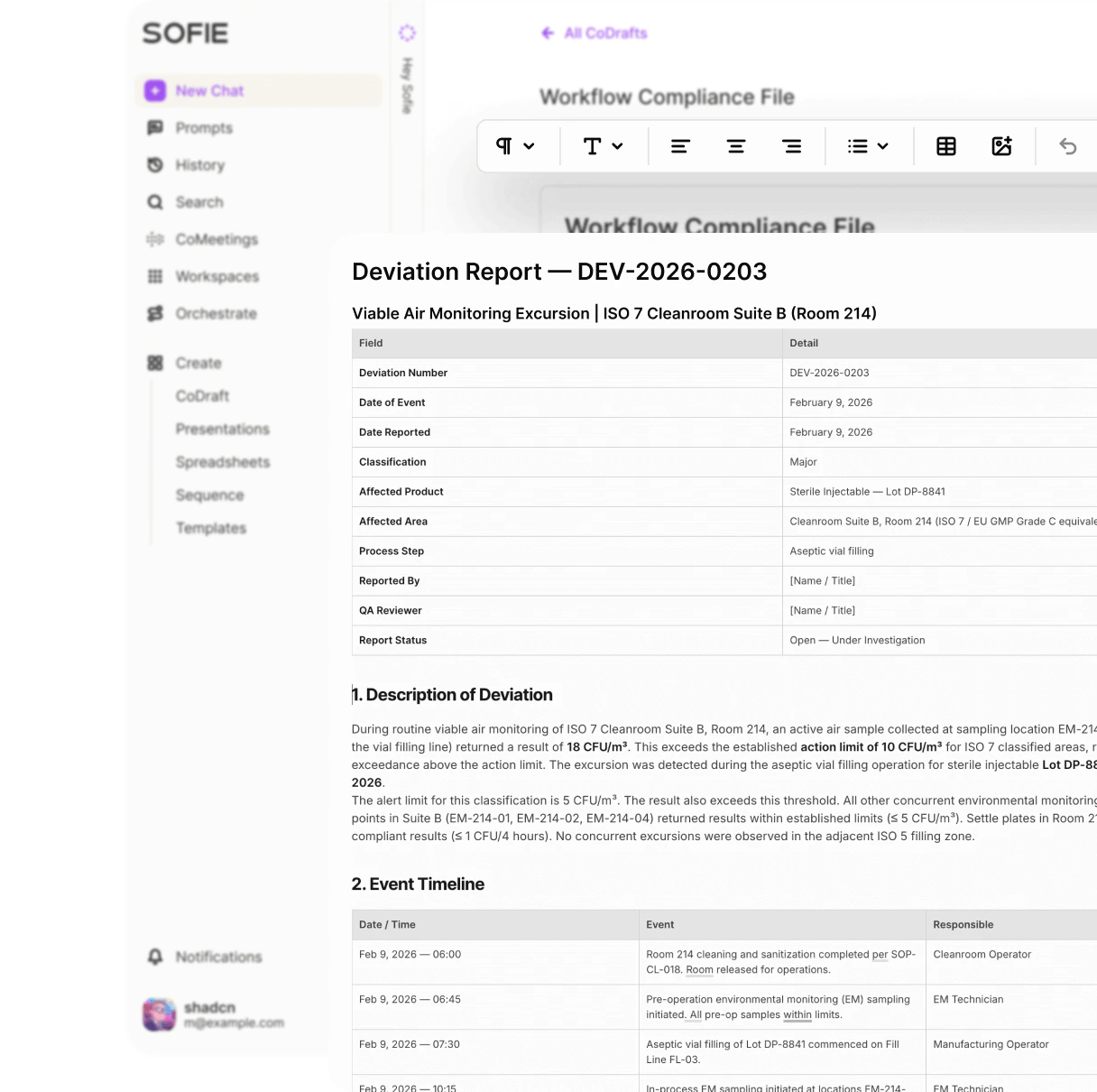
Create a CoDraft
1
Open Create
Click Create in the sidebar or use a Workspace Create menu.
2
Select CoDraft
Choose CoDraft or New CoDraft.
3
Name the document
Use a title that includes the process, product, or package.
4
Draft or paste content
Type directly, paste text, or ask Sofie to generate a starting structure.
5
Associate a Workspace
Put the CoDraft in the Workspace that contains the source files and teammates.
Import a Word document
Use chat to convert a.docx or .doc file into a CoDraft when you want to revise it in Sofie.
Example:
- Existing protocols.
- SOP drafts.
- Investigation reports.
- URS documents.
- Change control narratives.
- Templates you want to turn into reusable Sofie documents.
Edit with Sofie Everywhere
Open Sofie Everywhere while viewing a CoDraft to ask for document-specific help. Useful requests:- “Rewrite the selected paragraph for QA review.”
- “Add a table of missing evidence after this section.”
- “Make this conclusion less certain and flag unsupported claims.”
- “Convert this meeting summary into action items with owners and due dates.”
- “Suggest comments where the rationale is weak.”
- “Create an executive summary from this document.”
Review comments and suggestions
Use CoDraft for collaborative review before content leaves Sofie. Review workflow:1
Draft the section
Ask Sofie for a first pass or write it yourself.
2
Ask for a review pass
Have Sofie check for missing rationale, unsupported conclusions, unclear acceptance criteria, or weak traceability.
3
Add comments
Use comments for questions that require a human answer.
4
Review suggestions
Accept or reject suggestions after you confirm they match the source.
5
Save a revision
Save a named revision before major review rounds or export.
Use versions
Save a named revision before:- Sending the draft to reviewers.
- Applying a large AI rewrite.
- Importing major source changes.
- Exporting for external review.
Before QA reviewAfter SME commentsDraft protocol v0.2Pre-export copy
Use templates
Templates help you reuse document structure and fill recurring documents with Sofie. Good template candidates:- Deviation investigation report.
- CAPA plan.
- CAPA effectiveness check.
- Validation protocol.
- Equipment URS.
- Qualification report.
- Tech transfer charter.
- Meeting brief.
Batch number, Observed event, Immediate action, and Evidence reviewed instead of one broad Details field.
Use Templates and placeholders to design reusable CoDraft templates. Use Fill templates progressively when you want Sofie to fill a template over multiple sessions, track required fields, confirm suggestions, and finalize the draft when it is ready.
Move a CoDraft to a Workspace
Move or associate a CoDraft with a Workspace when:- Teammates need access.
- Source files live in that Workspace.
- The document belongs to a validation, tech transfer, deviation, CAPA, or regulatory package.
- You want Sofie to use the document with related Workspace context.
Export or share
Export when the document needs to leave Sofie or enter another review process. Before export:- Review headings, tables, and formatting.
- Check source references and citations.
- Confirm unresolved comments are handled or intentionally left open.
- Remove draft notes that should not leave Sofie.
- Save a named revision.
What should I ask Sofie to check before export?
What should I ask Sofie to check before export?
Ask for missing source references, unsupported conclusions, inconsistent terminology, unresolved placeholders, unclear acceptance criteria, and sections that need SME confirmation.
Share a CoDraft
The owner of a CoDraft can share it with teammates.1
Open sharing
Open the CoDraft and click Share in the header.
2
Add people
Under Add people, select the teammates you want to share with.
3
Choose a permission
Choose Can edit and comment or Can view only. Optionally, add a Note for recipients.
4
Invite
Click Invite.